
Quick Start Guide
Master UndeadChords in 5 minutes!
What you'll learn
- 🏠 The Home page 30 sec
- 📖 Interactive Tutorial 1 min
- 🎵 Create your first song 2 min
- 📚 Organize songs in Books 1 min
- 👆 View chord diagrams 1 min
- 🔄 Transpose a song 30 sec
- 🎸 Tune your guitar 1 min
- 🔍 Use Style Search 30 sec
- 🎼 Build progressions with the Composer 2 min
- 📘 Browse chords by style 1 min
- 🎶 Explore Scales & modes 1 min
1 The Home Page
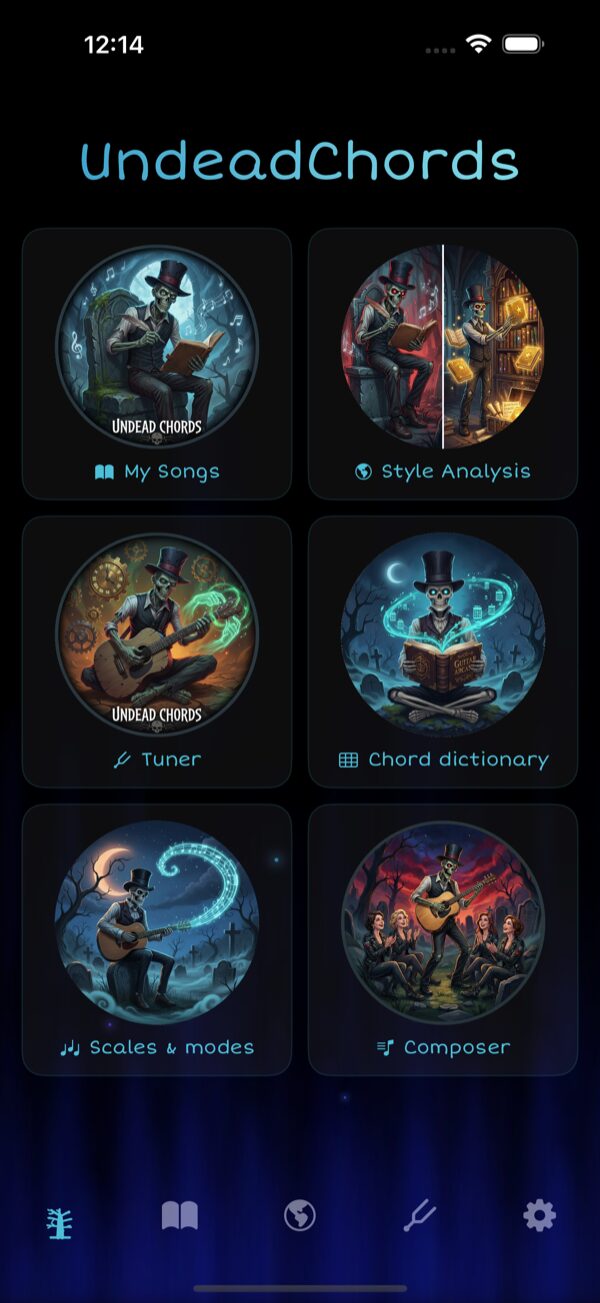
When you launch UndeadChords, the Home page greets you with a 2×3 grid of quick-access cards, plus a tab bar at the bottom for Books, Style Search, Tuner and Settings:
- My Songs — Open your song library (Books)
- Style Analysis — Find estimated harmony grids by artist
- Tuner — Tune your guitar or ukulele to any tuning
- Chord Dictionary — 450+ chord diagrams, with a By style mode
- Scales & modes — Pentatonic, modes, blues, exotic scales on a fretboard
- Composer — Build chord progressions and save them to your songbook
2 Interactive Tutorial
New to UndeadChords? The app includes a built-in 6-page illustrated tutorial presented as a swipeable carousel. It walks you through the key features step by step:
- How to create and edit songs with chord notation
- How to use Style Search to find harmony grids
- How to read chord diagrams and explore fingerings
- How to use the tuner and reference tones
- How to practice with rhythm and picking patterns
- How to organize your songs in Books
3 Create Your First Song
Open the editor
- Launch the app (wait 2s for the splash screen)
- You're automatically in the Songs tab
- Tap the + button in the top right
Fill in the details
- Title: "Wonderwall" (required)
- Artist: "Oasis" (optional)
- Key: Leave "C" or choose from the dropdown
Add content with chords
Use brackets around chord names:
That they're [Dsus4]gonna throw it back to [A7sus4]you
Save
Tap Save in the top right. Your song now appears in the list!
4 Organize Songs in Books
As your song library grows, Books help you keep things organized. Books are like notebooks or binders where you group songs by theme, setlist, or practice session.
Create a book
- In the Songs tab, tap the book icon in the toolbar
- Tap + to create a new book
- Give it a name (e.g., "Campfire Songs", "Jazz Standards")
Add songs to a book
- Open a song and use the add to book option to assign it
- A song can belong to multiple books
5 View Chord Diagrams
With a song open:
- Tap any chord displayed in the lyrics (e.g.,
Em7) - A modal opens showing:
- The chord diagram with finger positions (cyan dots)
- Open strings (O) and muted strings (X)
- Switch between Guitar/Ukulele with the selector
- Tap Listen to hear the chord
- Scroll through positions if multiple fingerings exist
• Vertical lines = strings (low E on left, high E on right)
• Horizontal lines = frets
• Cyan dots = where to place your fingers
6 Transpose a Song
- Open a song
- Tap the controls icon (sliders) in the toolbar
- Use the + / − buttons to shift all chords by semitones
Example: Press + twice → Em7 becomes F#m7
• Song too high → transpose down (−)
• Song too low → transpose up (+)
• Simplify difficult chords → find an easier key
7 Tune Your Guitar
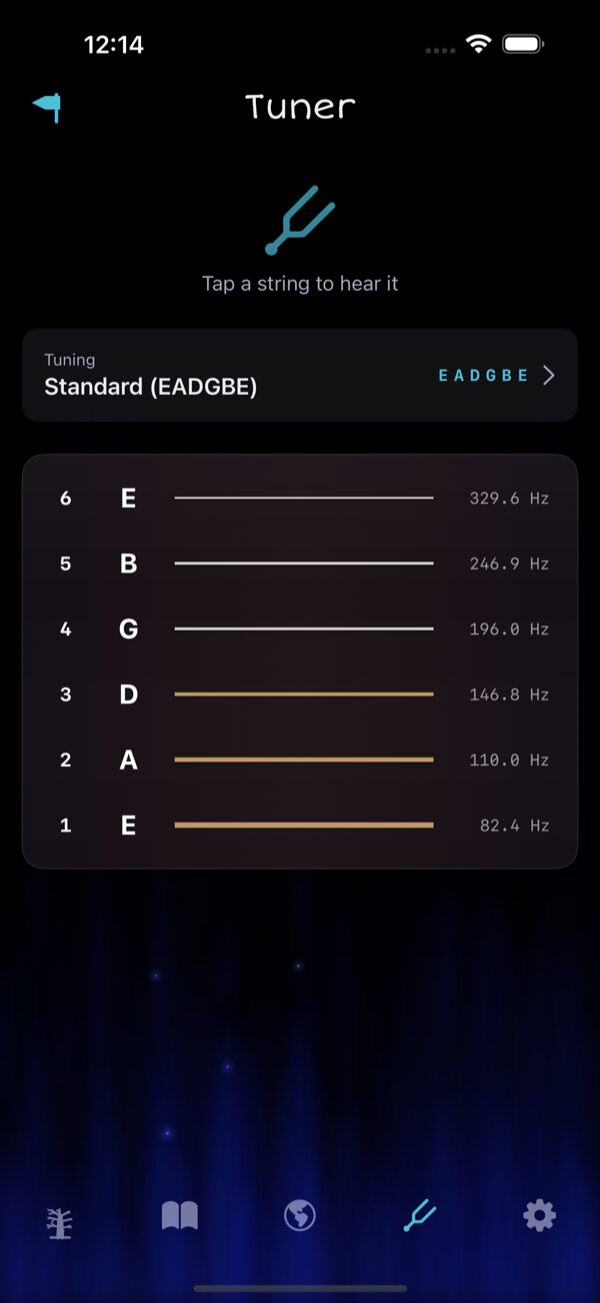
- Go to the Tuner tab (tuning fork icon)
- See all 6 strings displayed
- Tap the tuning selector to choose Standard, Drop D, Open G, etc.
- Tap a string to hear its reference tone
- Tune your guitar string to match the sound
- Repeat for all 6 strings
8 Use Style Search
- In the Songs tab, tap the globe icon 🌐
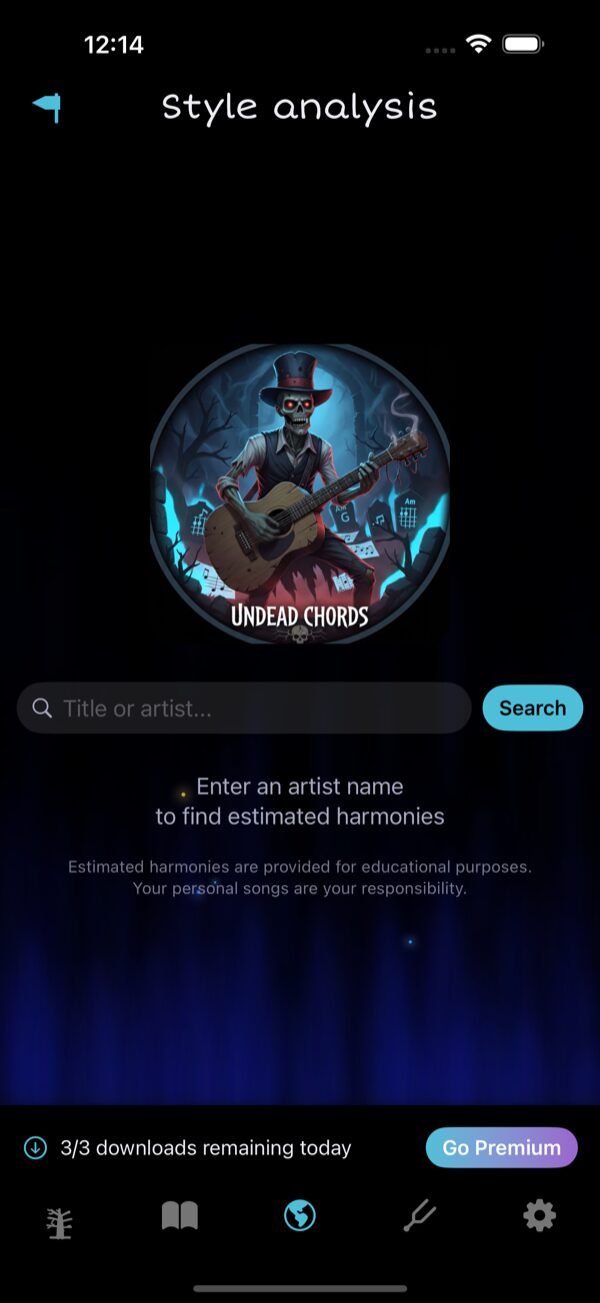
- Enter an artist name
- Browse the results — these are estimated chord progressions
- Tap a result to preview the harmony grid
- Tap Save to add it to your songs
Compact / Extended view
When viewing a harmony grid in the song sheet, you can toggle between two display modes:
- Compact — Shows only the chord names in a dense grid layout, ideal for quick reference while playing
- Extended — Shows the full harmony grid with placeholder text (░) and chord positions, giving you a better sense of the song structure
Use the toggle button in the song sheet toolbar to switch between modes.
9 Build Progressions with the Composer NEW v7
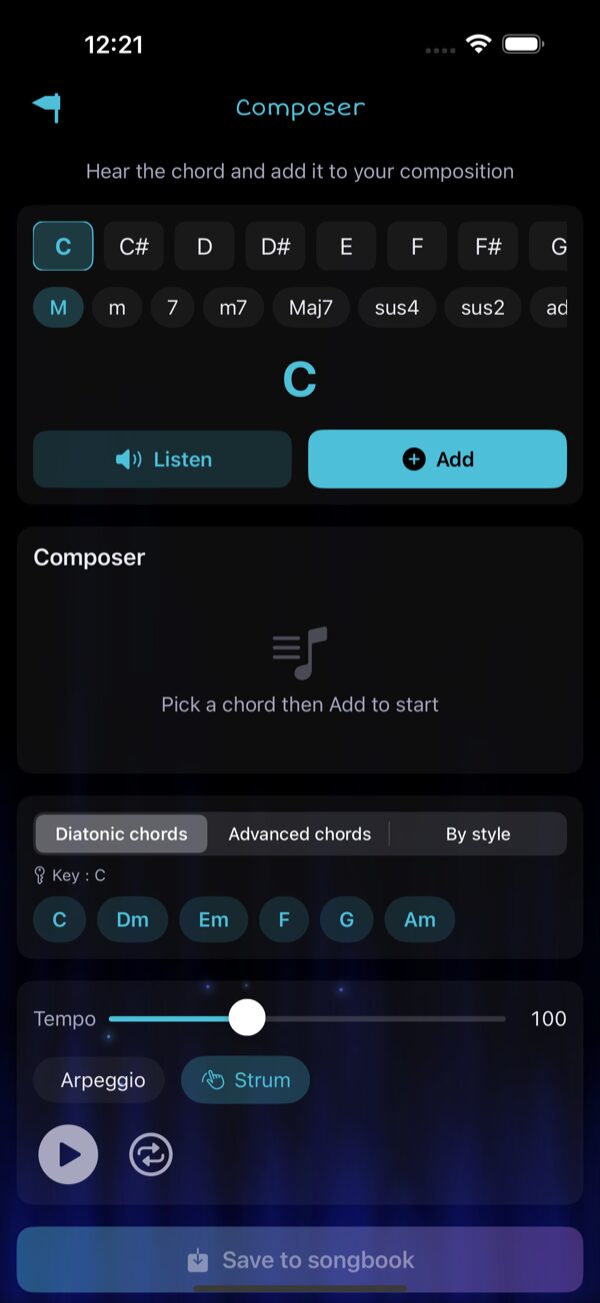
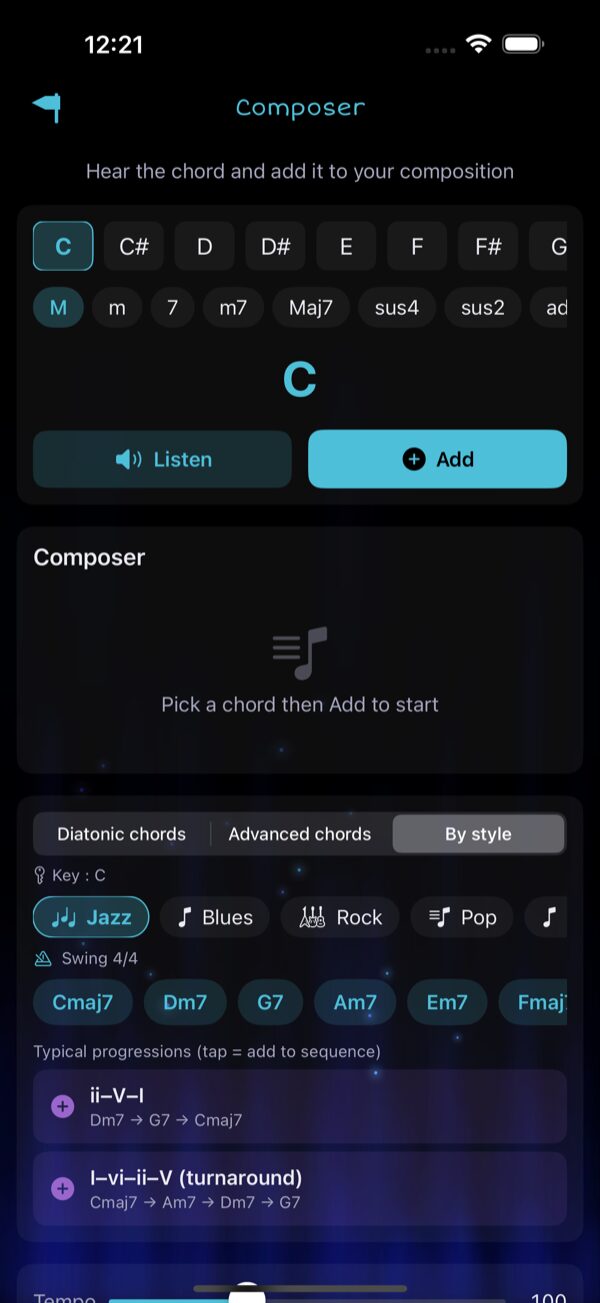
The Composer is the tool to build chord sequences, hear them played with realistic guitar samples and save them to your songbook. Open it from the Home grid.
Pick a chord
- Choose a root note (C, C#, D, … B) from the top row
- Choose a quality (M, m, 7, m7, Maj7, sus4, sus2, add9, 6, 9, dim, aug, 5)
- Hit Listen to hear it, or Add to drop it in your sequence
Use the three suggestion modes
Below the sequence, a segmented picker lets you pick the suggestion style:
- Diatonic chords — the 6 in-key chords (I, ii, iii, IV, V, vi)
- Advanced chords — secondary dominants (V/V, V/vi), borrowed iv, vii°
- By style — chords + typical progressions for 15 genres (Jazz, Blues, Rock, Pop, Bossa, Manouche, Folk, Reggae, Funk, Gypsy Jazz, African, Calypso, Zouk, Salsa, Country, Soukous)
10 Browse Chords by Style NEW v7
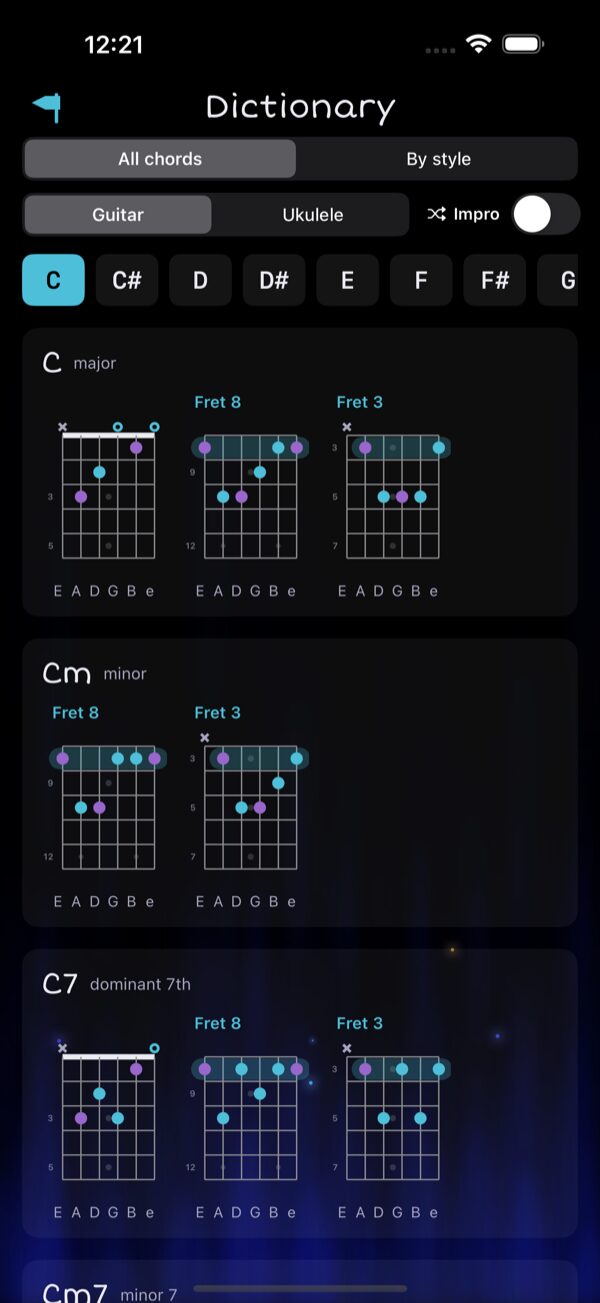
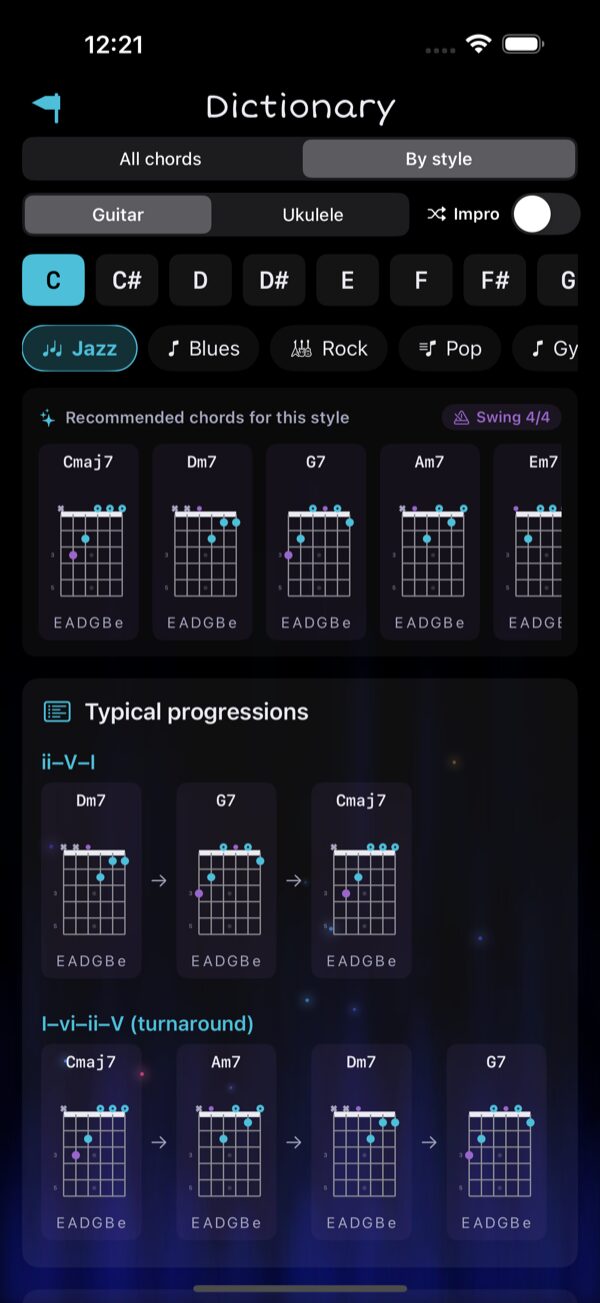
Open Chord Dictionary from the Home grid. The top segment switches between two browsing modes:
- All chords — every quality, every fingering (450+ diagrams), with optional Impro mode that picks random positions
- By style — only the chords you'll actually use for the genre you pick, plus typical progressions
11 Explore Scales & Modes
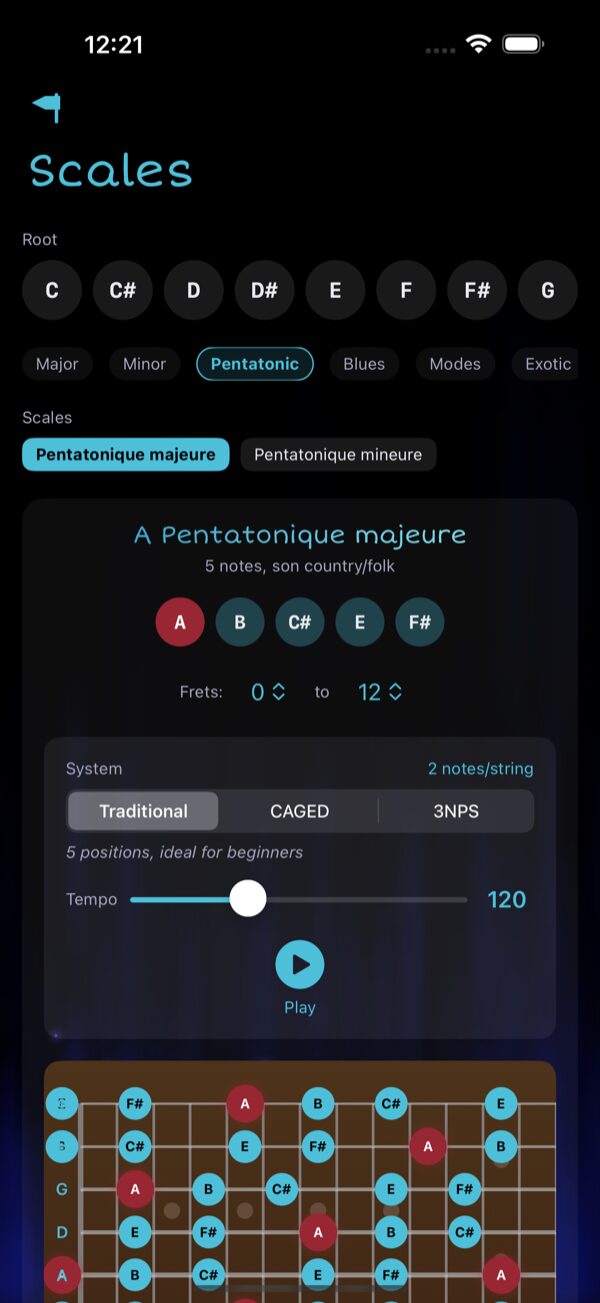
Open Scales & modes from the Home grid to view any scale on the guitar fretboard.
- Pick a root (C through B)
- Pick a category: Major, Minor, Pentatonic, Blues, Modes, Exotic
- Pick a scale variant within the category
- Adjust the fret range, system (Traditional / CAGED / 3NPS), tempo
- Hit Play to hear the scale
🎉 You're Ready!
You now know how to:
- ✅ Navigate from the Home page
- ✅ Follow the interactive Tutorial
- ✅ Create and organize songs in Books
- ✅ View chord diagrams and transpose to any key
- ✅ Tune your guitar in any tuning
- ✅ Find chord progressions with Style Search
- ✅ Build progressions in the Composer (Diatonic, Advanced & By style)
- ✅ Browse the Chord Dictionary by musical style
- ✅ Explore scales and modes on the fretboard
🎸 Rock on, even after midnight! 🔥