Support
Need help? We're here for you!
Frequently Asked Questions
How do I add chords to my lyrics? +
Use brackets around chord names: [Am], [G7], [Cmaj7]. Place them directly before the syllable where the chord should be played. Example:
[Am]Hello [G]worldHow does transposition work? +
Open a song and use the +/- buttons in the control panel. Each tap shifts all chords by one semitone. The original key is preserved so you can always go back.
What is "Style Search"? +
Style Search lets you find estimated chord progressions to practice accompaniment in an artist's style. It displays a short lyrics preview (first verse) for song identification, with the rest masked by placeholder characters (░) to respect copyright. 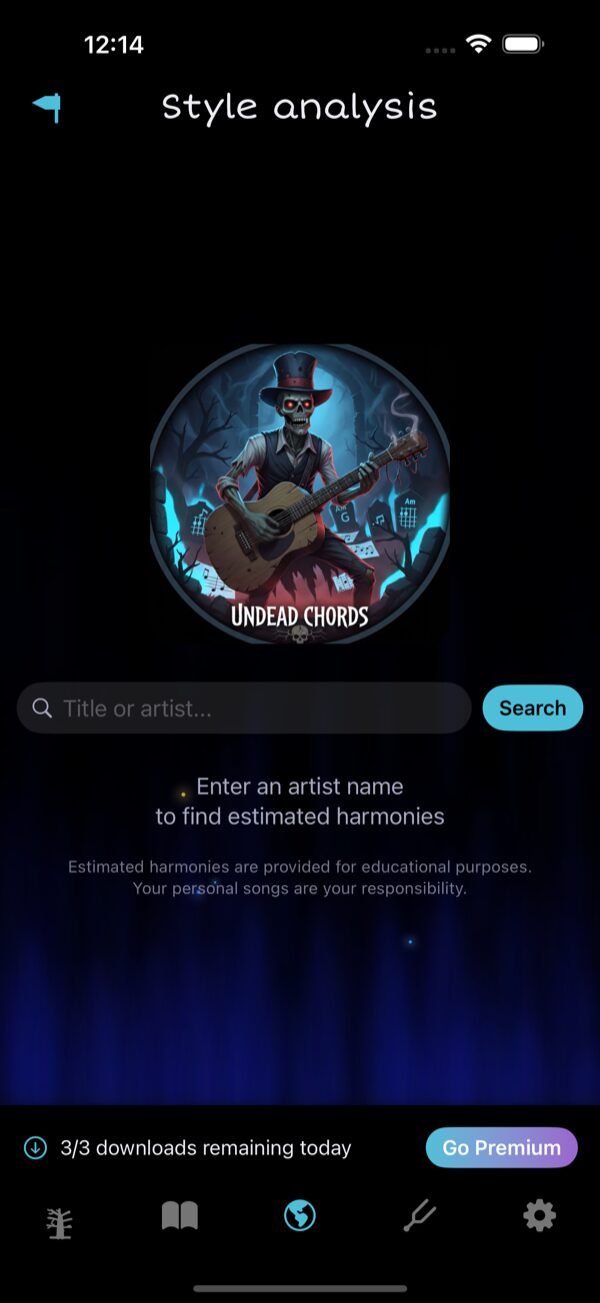 The Style Search screen with daily download counter.
The Style Search screen with daily download counter.Does the app contain copyrighted lyrics? +
No. UndeadChords does not distribute the full lyrics of copyrighted works: only a short identification extract (first verse) is displayed, with the rest masked by placeholder characters (░). Personal songs are created and managed by you.
What's the difference between Free and Premium? +
Almost everything is free in v7: the Composer (with diatonic, advanced and By style suggestions), the Chord Dictionary with By style mode covering 15 musical genres, all 450+ chord diagrams, all scales, all tunings, all 70+ rhythm & picking patterns, audio settings, song export and Style Search.
The Free tier is only limited to:
The Free tier is only limited to:
- 3 Style Search downloads per day
- 3 songs maximum in your library
What is the Composer? +
The Composer is a free tool to build chord progressions, hear them played with realistic guitar samples and save them to your songbook. Pick a root note + a chord quality, tap Add, repeat, then hit Play. 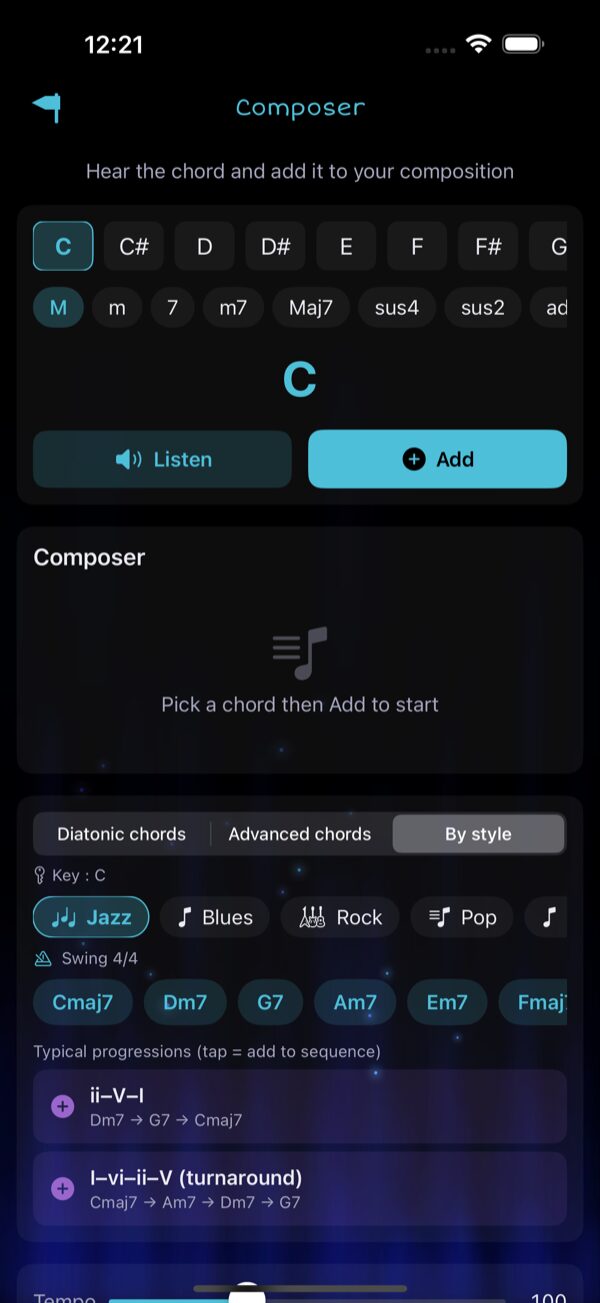 The Composer in By style mode — Jazz — with recommended chords and typical progressions. It suggests chords in three modes: Diatonic (the 6 in-key chords), Advanced (secondary dominants, borrowed chords) and By style (chords + progressions for Jazz, Blues, Rock, Pop, Bossa Nova, Manouche, Folk, Reggae, Funk and 6 more genres). Tap any suggestion to add it to your sequence.
The Composer in By style mode — Jazz — with recommended chords and typical progressions. It suggests chords in three modes: Diatonic (the 6 in-key chords), Advanced (secondary dominants, borrowed chords) and By style (chords + progressions for Jazz, Blues, Rock, Pop, Bossa Nova, Manouche, Folk, Reggae, Funk and 6 more genres). Tap any suggestion to add it to your sequence.How do I find chords in a specific musical style? +
Open Chord Dictionary from the Home grid, then switch the top segment to By style. Pick Jazz, Blues, Bossa, Folk, Reggae, Funk, Salsa, Manouche, Country, Soukous or any of the 15 genres available — the dictionary highlights the priority chords for that style and lists the typical progressions you should know. 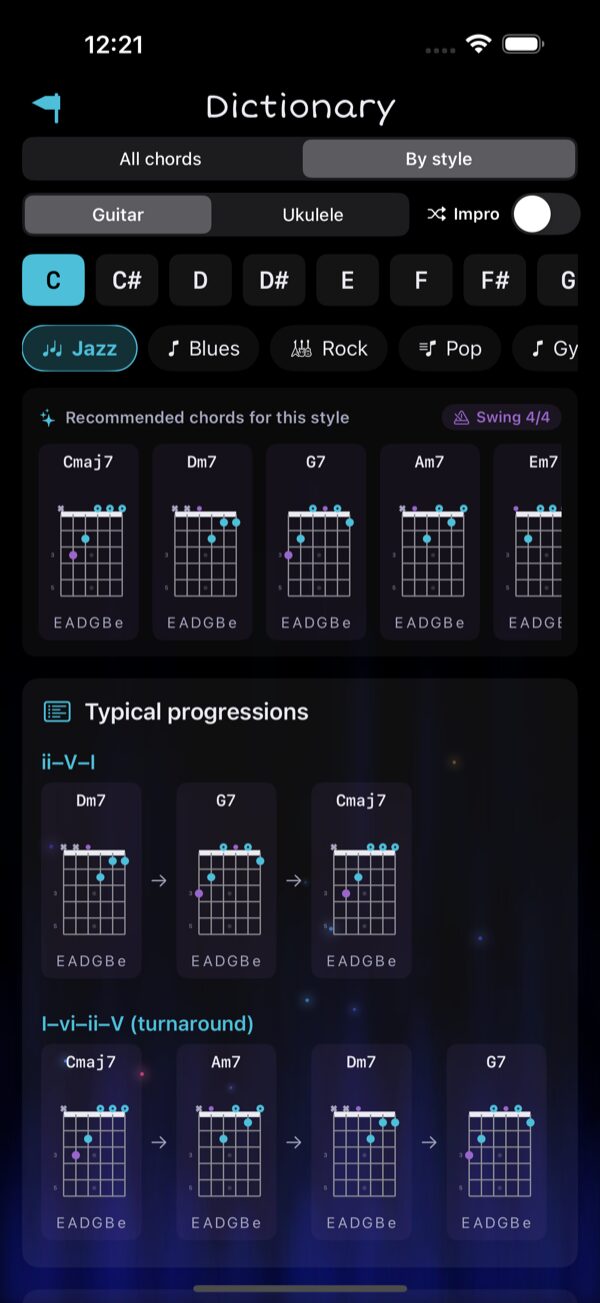 Chord Dictionary — By style mode, Jazz family.
Chord Dictionary — By style mode, Jazz family.How do I restore my Premium purchase? +
Go to Settings and tap "Restore Purchases". Make sure you're signed in with the same Apple ID you used for the original purchase.
Can I get a refund? +
Refund requests must be submitted through Apple at reportaproblem.apple.com. We don't have access to payment information.
How does the tuner work? +
The tuner plays reference tones for each string. Tap a string to hear the target pitch, then tune your instrument by ear to match. A tuning fork (A 440Hz) is also available. Multiple tunings are supported (Standard EADGBE, Drop D, Open G, DADGAD, etc.) — tap the tuning name to switch. 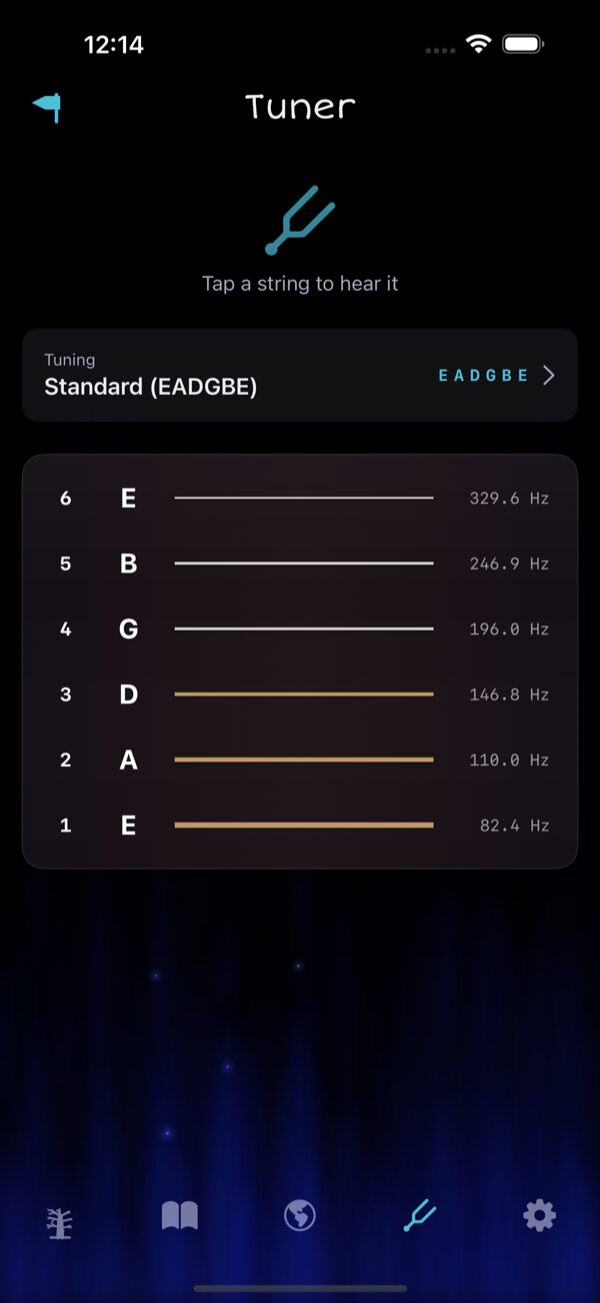 Reference-tone tuner with Standard EADGBE selected.
Reference-tone tuner with Standard EADGBE selected.Still need help?
For any questions, suggestions or issues:
undeadchords@shader.beWe typically respond within 24-48 hours.